Tell clients you're running late
One tap sends everyone still to come today a short, apologetic note.
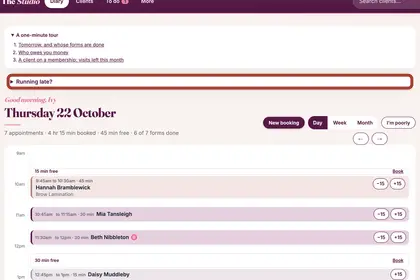
At the top of your Diary, press "Running late?".
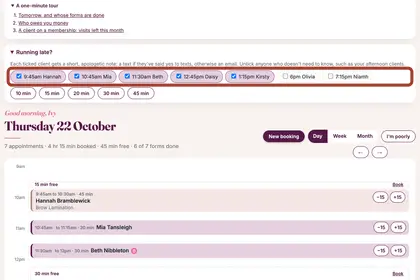
Everyone still to come is ticked. Untick anyone who does not need to know.
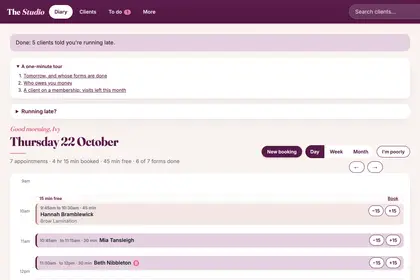
Press how late you are. The page says who was told.
Good to knowHide good to know
Each client gets a text if they have said yes to texts (once texts are set up for your back office), otherwise an email. On any single appointment there is also a "Text: running late" button that opens a message in your own phone.
Every name in the pictures is made up.
Book a free 30-minute chat
By video. We send you a link; you just tap it.