The Finisher.
Get my free previewFree preview

 Clients and forms

Add a note to a client

Keep a private note on a client's card, dated, that only you can see.
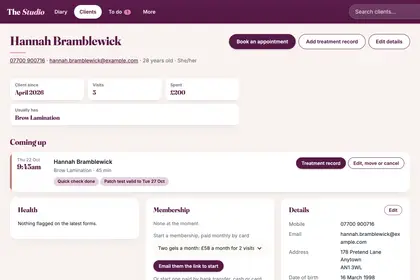
  1. Step 1: Open the client's card: search for them, or tap their booking in your Diary, press Open full record, then Client card.

    Search for the client to open their card.
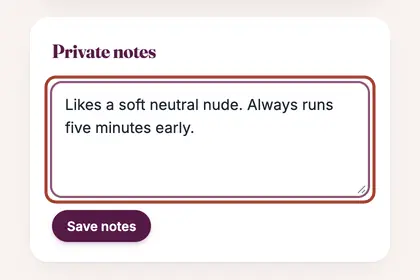
  2. Step 2: Scroll to Private notes and type your note.

    Scroll to "Private notes" and type your note.
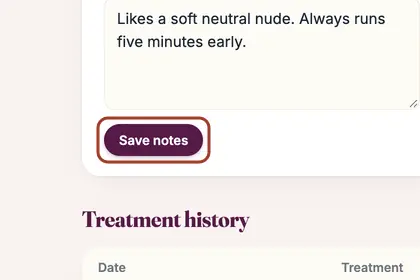
  3. Step 3: Press "Save notes".

    Press "Save notes".

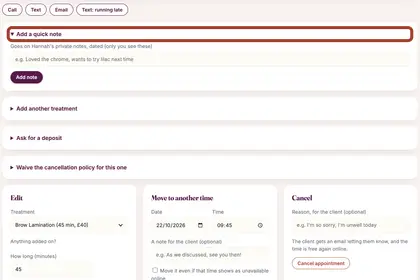
  4. Step 4: For a quick note during an appointment, open the appointment and use "Add a quick note". It goes on the client's private notes, dated.

    For a quick note during an appointment, use "Add a quick note".

Every name in the pictures is made up.

Book a free 30-minute chat

By video. We send you a link; you just tap it.