Download your client list
Download your clients as a spreadsheet, or everything your back office holds.
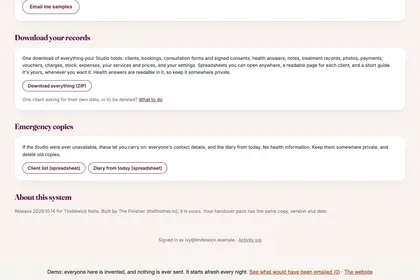
Scroll to the bottom of Settings, to "Emergency copies".
Press "Client list (spreadsheet)" to download everyone's contact details.
For everything, use "Download everything (ZIP)" under "Download your records".
Good to knowHide good to know
The client list has contact details only, no health information. The full download does include health answers, so keep it somewhere private.
Every name in the pictures is made up.
Book a free 30-minute chat
By video. We send you a link; you just tap it.