Put your diary on your iPhone
Your bookings and requests appear in your phone's Calendar app and keep themselves up to date.
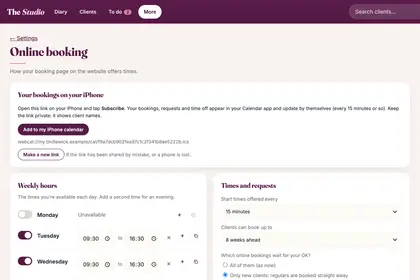
In More, Settings, "Online booking", find "Your bookings on your iPhone".
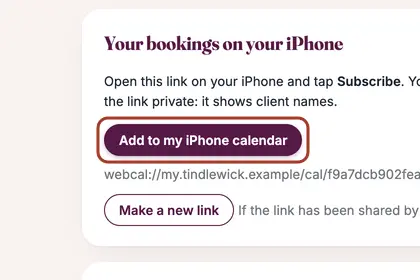
Press "Add to my iPhone calendar", then tap Subscribe.
Good to knowHide good to know
Keep the link private, because it shows client names. If it is ever shared by mistake, or a phone is lost, press "Make a new link" and the old one stops working.
Every name in the pictures is made up.
Book a free 30-minute chat
By video. We send you a link; you just tap it.