The Finisher.
Get my free previewFree preview

 Messages

See every message your clients get

Read each email exactly as your clients get it.
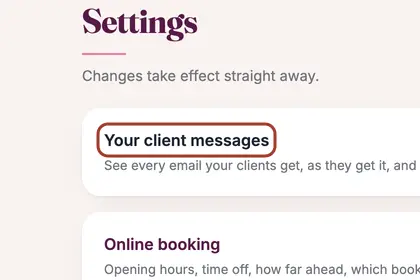
  1. Step 1: Press More in the menu, then Settings, then "Your client messages".

    In More, press "Settings", then "Your client messages".
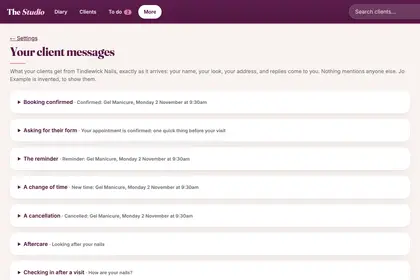
  2. Step 2: Each kind of message has its own line, such as "Booking confirmed" and "Asking for their form". Press a line to open it and read the message exactly as the client gets it, with your name, your look and your sign-off.

    Press a line to read the message exactly as the client gets it.
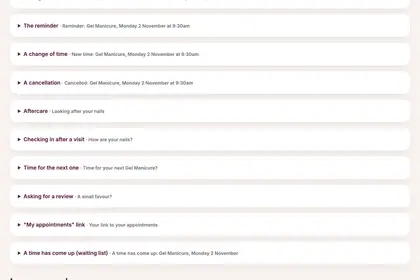
  3. Step 3: Keep scrolling for the others: the reminder, a change of time, a cancellation, aftercare, the check-in, the review request and "A time has come up".

    Keep scrolling for the others, such as the reminder and the review request.
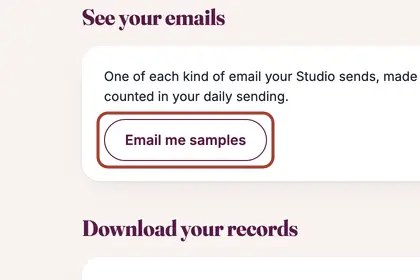
  4. Step 4: To see them in your own inbox, press "Email me samples" at the bottom of Settings.

    To see them in your own inbox, press "Email me samples".

Good to knowHide good to know

Samples are sent only to you, with "[Sample]" in the subject, using invented clients.

Every name in the pictures is made up.

Book a free 30-minute chat

By video. We send you a link; you just tap it.